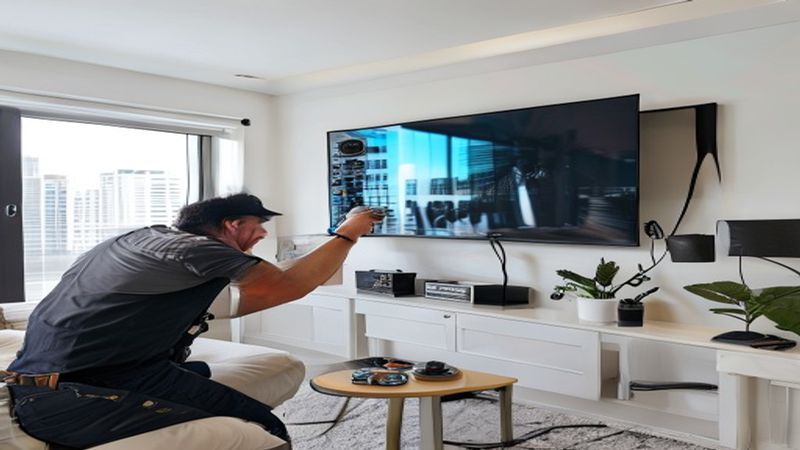

You just bought a beautiful new flat-screen TV and you want it on the wall. Great choice — wall-mounted TVs save space, look sleek, and give you better viewing angles. But before you start drilling holes, you need the right bracket. The wrong one can mean a wobbly TV, a damaged wall, or worse.
Here is everything you need to know about choosing the right TV mount bracket.
Understanding VESA Patterns
VESA (Video Electronics Standards Association) is the standard that determines where the mounting holes are on the back of your TV. Every modern TV has a VESA pattern measured in millimeters — for example, 200x200, 400x400, or 600x400.
To find your VESA pattern, measure the distance between the four mounting holes on the back of your TV (horizontal x vertical). Or simply check your TV's user manual or spec sheet — it will be listed there.
Common VESA Sizes by TV Size
- 32-40 inch TVs: VESA 200x200
- 43-55 inch TVs: VESA 300x300 or 400x400
- 55-65 inch TVs: VESA 400x400 or 600x400
- 70-85 inch TVs: VESA 600x400 or 800x400
Most universal mount brackets support multiple VESA patterns. But always verify before purchasing.
Three Types of TV Mounts
1. Fixed Mount (Flat/Low-Profile)
Holds the TV flat against the wall with minimal gap (about half an inch). No movement at all — the TV stays in one position.
- Best for: bedrooms, living rooms where the TV is at eye level
- Pros: cheapest option, clean flush look, easy to install
- Cons: no angle adjustment, harder to access cables after mounting
- Price range: $15-$50
2. Tilting Mount
Allows the TV to tilt down (and sometimes slightly up) by 5-15 degrees. The TV sits about 2 inches from the wall.
- Best for: TVs mounted above eye level, above fireplaces, high bedroom mounts
- Pros: reduces glare from overhead lighting, works great for higher placements
- Cons: no left-right movement
- Price range: $25-$80
3. Full-Motion (Articulating) Mount
Extends the TV away from the wall on an arm and allows swivel left/right, tilt up/down, and sometimes rotation. The TV can extend 6-24 inches from the wall.
- Best for: corner installations, open floor plans, rooms where you watch from multiple positions
- Pros: maximum flexibility, can be pulled out for cable access, looks great in corners
- Cons: most expensive, extends further from wall when not in use, heavier
- Price range: $40-$200
Wall Type Matters — Especially in Miami
This is where many DIY installations go wrong. The type of wall determines what hardware you need.
- Drywall with wood studs: Standard lag bolts into studs. This is the easiest and most secure. Always mount into at least one stud.
- Drywall without studs (toggle bolts): Possible for small TVs (under 40 inches) but not recommended for larger ones. Toggle bolts can hold weight, but they are not as secure as studs.
- Concrete walls: Common in Miami condos and high-rises. Requires masonry drill bits and concrete anchors. This is where professional installation really pays off — drilling into concrete incorrectly can crack the wall or result in a weak mount.
- Brick or stone: Similar to concrete — requires specialized hardware and experience.
Choosing the Right Height
The center of your TV screen should be at eye level when you are seated in your primary viewing position. For most setups, this means the center of the screen is about 42-48 inches from the floor. Above a fireplace, it will be higher — that is where a tilting mount becomes essential.
Cable Management
Nothing ruins a clean TV mount like a mess of cables hanging down the wall. You have two options:
- External cable covers (cord channels): Plastic channels that stick to the wall and can be painted to match. Quick, easy, and affordable.
- In-wall cable concealment: Cables run inside the wall for a completely clean look. This is the premium option and the one we recommend if you want a showroom finish.
DIY vs. Professional Installation
For a small TV on a drywall with accessible studs, DIY can work if you are handy. But for any of these situations, hire a professional:
- Concrete or brick walls (common in Miami condos)
- TVs over 55 inches (they are heavy and need secure mounting)
- Above-fireplace installations
- In-wall cable concealment
- You want it done right the first time with no holes to patch later
Need Your TV Mounted?
Gold Hands Miami has mounted over 500 TVs across Miami-Dade County. Drywall, concrete, brick — we handle all wall types. Prices start at $115 with cable management included. Same-day appointments available.
See TV Mounting Service Details